MIDI Velocity Curve Editor:
Make Your Keyboard Respond the Way You Play
Stop fighting your MIDI controller. VelPro gives you per-note velocity curves so every touch feels natural. Available as a standalone app or a VST3 plugin
Trusted by 200+ producers, pianists, and studio engineers worldwide








VelPro is a MIDI velocity curve editor by Springbeats for pianists, keyboard players and producers who want their MIDI controller to respond the way they play. It lets you set a custom velocity curve for each note of your keyboard, store several presets per device, and undo changes easily. VelPro runs on Windows 8 to 11 (64-bit) and macOS 10.9 or later, including Apple Silicon, as a standalone app and a VST3 plugin, both included for 40 USD. A free demo is available.

How a 140-Year-Old Steinway Got a Second Life
David hid a MIDI sensor inside his 1885 upright. VelPro made it feel like the real thing.

David uses a QRS PNOscan II MIDI strip sensor hidden into his upright Steinway Model F from 1885.

The sensor sends MIDI data to a Surface tablet running Pianoteq from Modartt to synthesize realistic piano sounds.

VelPro processes this MIDI data before it hits the synthesizer. This way, David can have the exact musical response expected from a real piano.
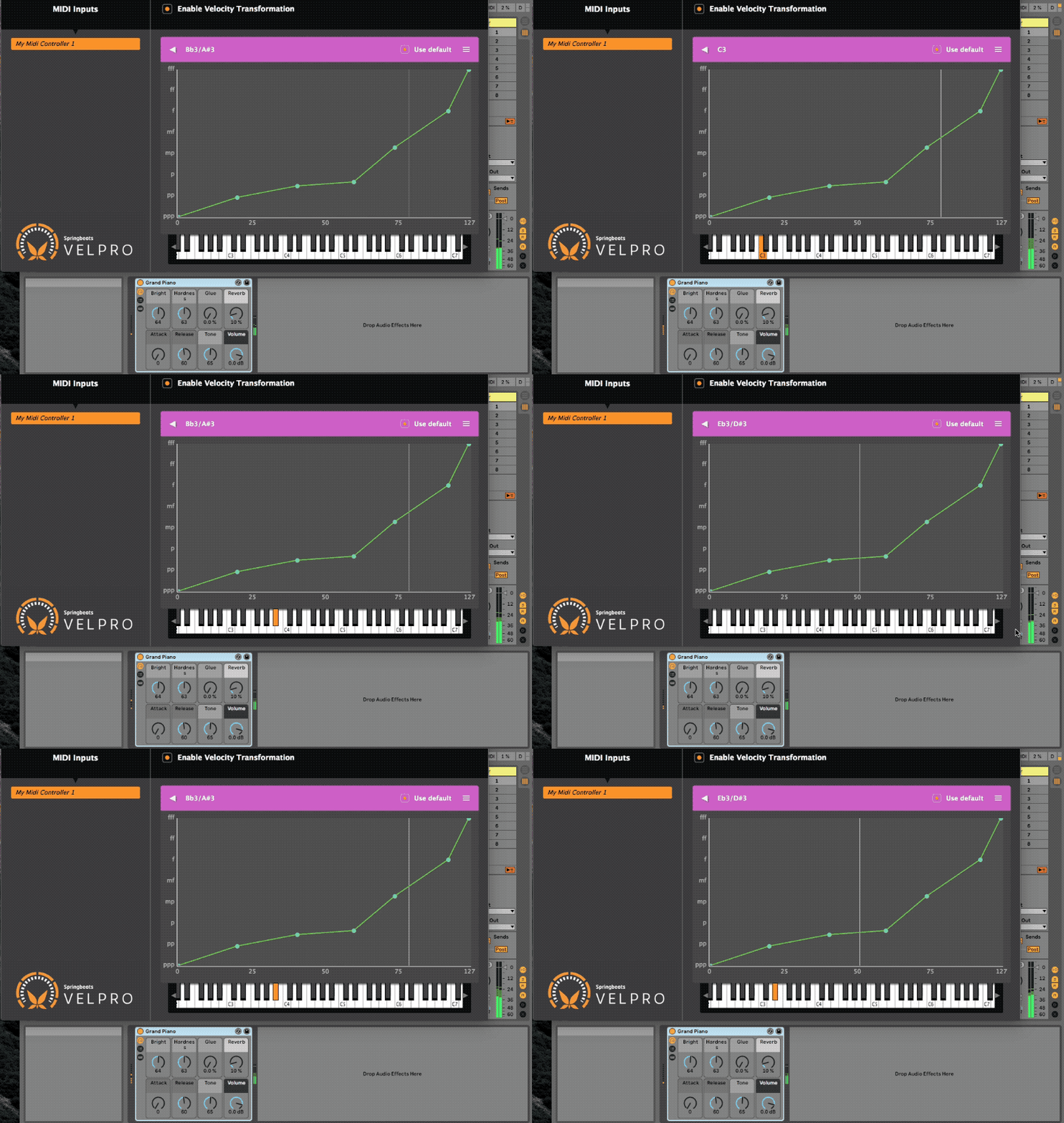
VelPro lets you create a custom velocity curve for each note of your keyboard.


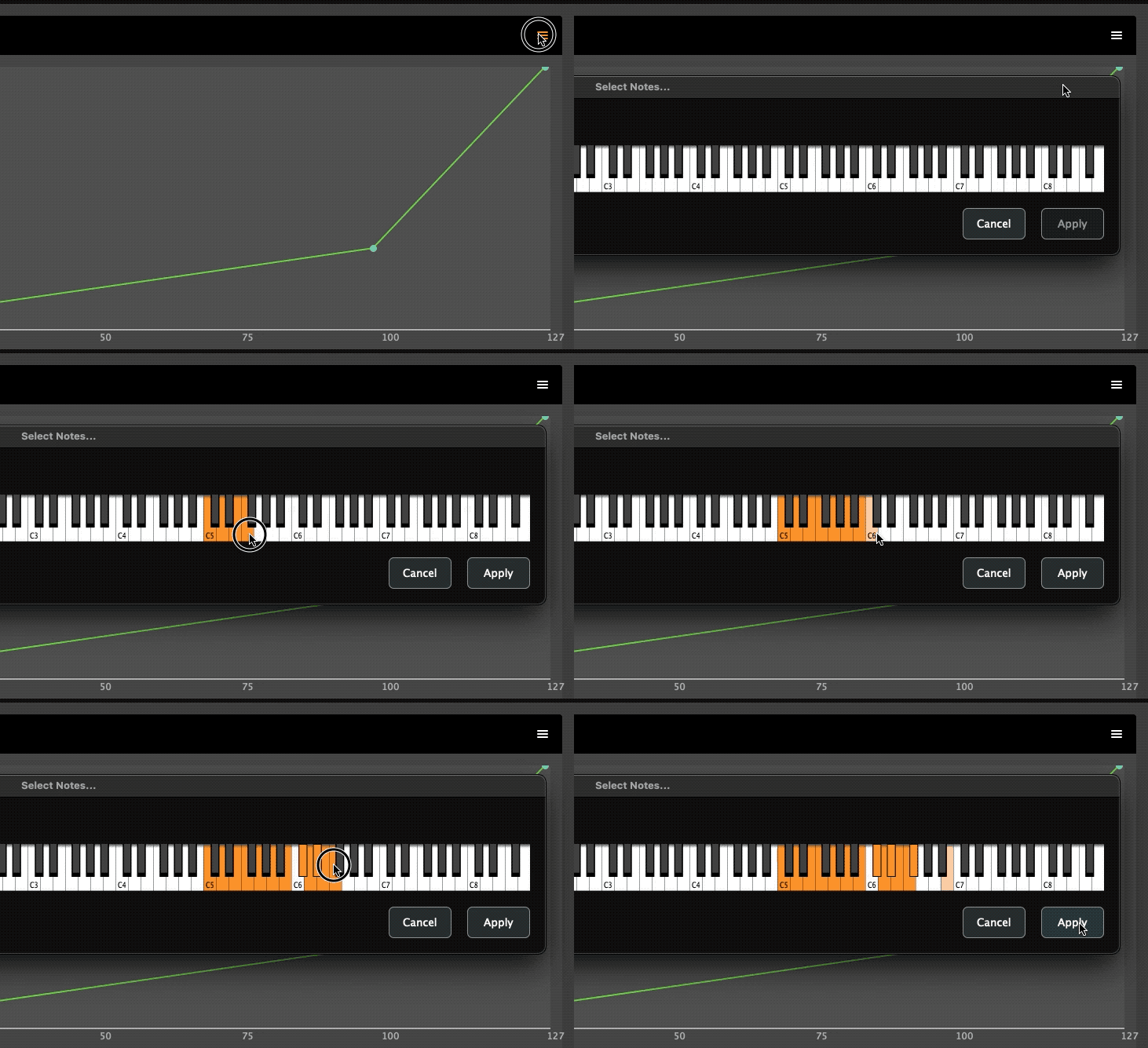
Apply Curves to Notes
Copy/paste a curve to any number of notes at once with this new dialog that lets you select all the notes on the keyboard that you want the current curve to be applied to.
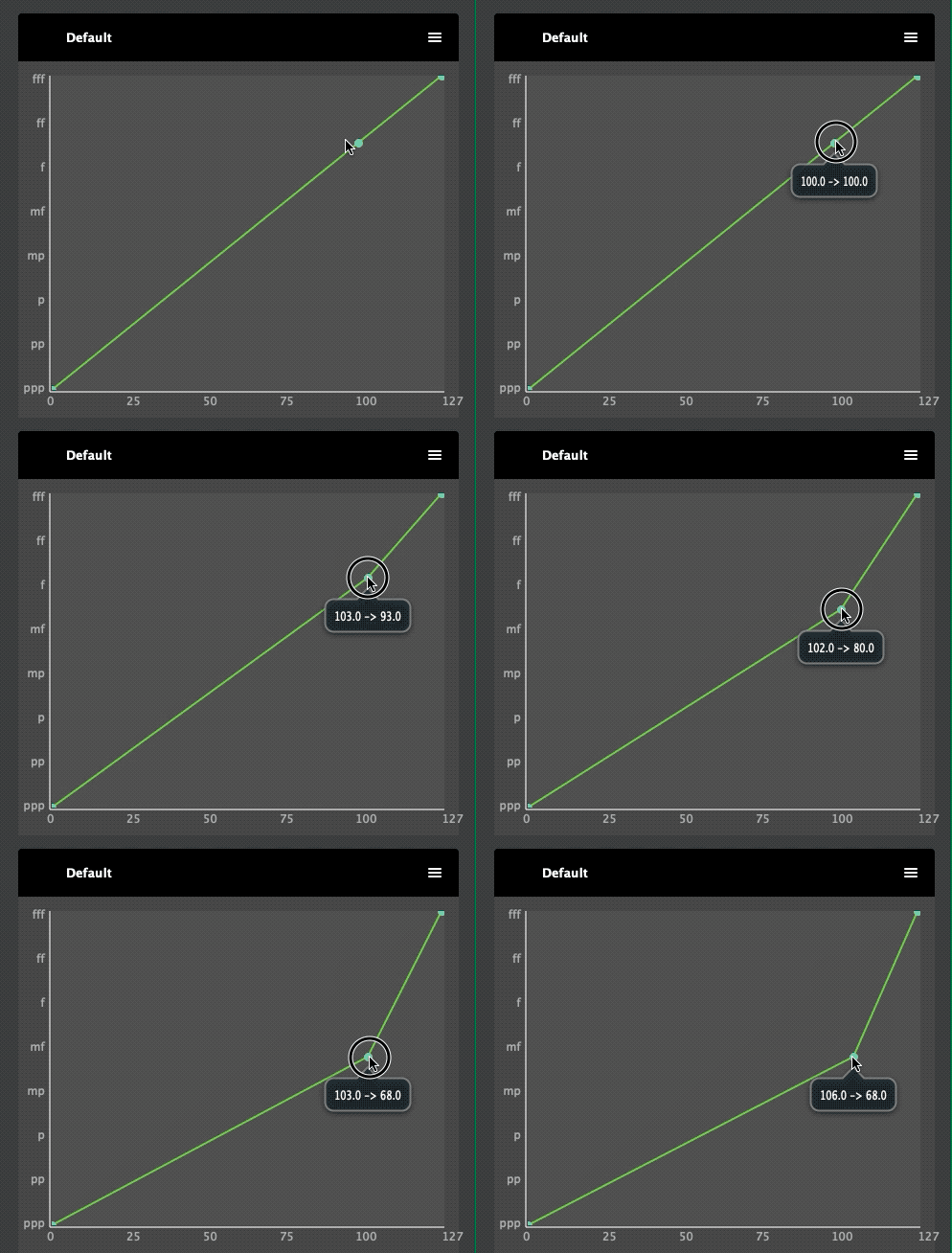
Precise coordinates display when hovering and dragging a point
No need to guess the values anymore. You can now see the precise x and y velocity values of a point when hovering the mouse.
Also, the points now snap to a grid so that you don’t end up in between two velocities, not knowing which one will be applied.
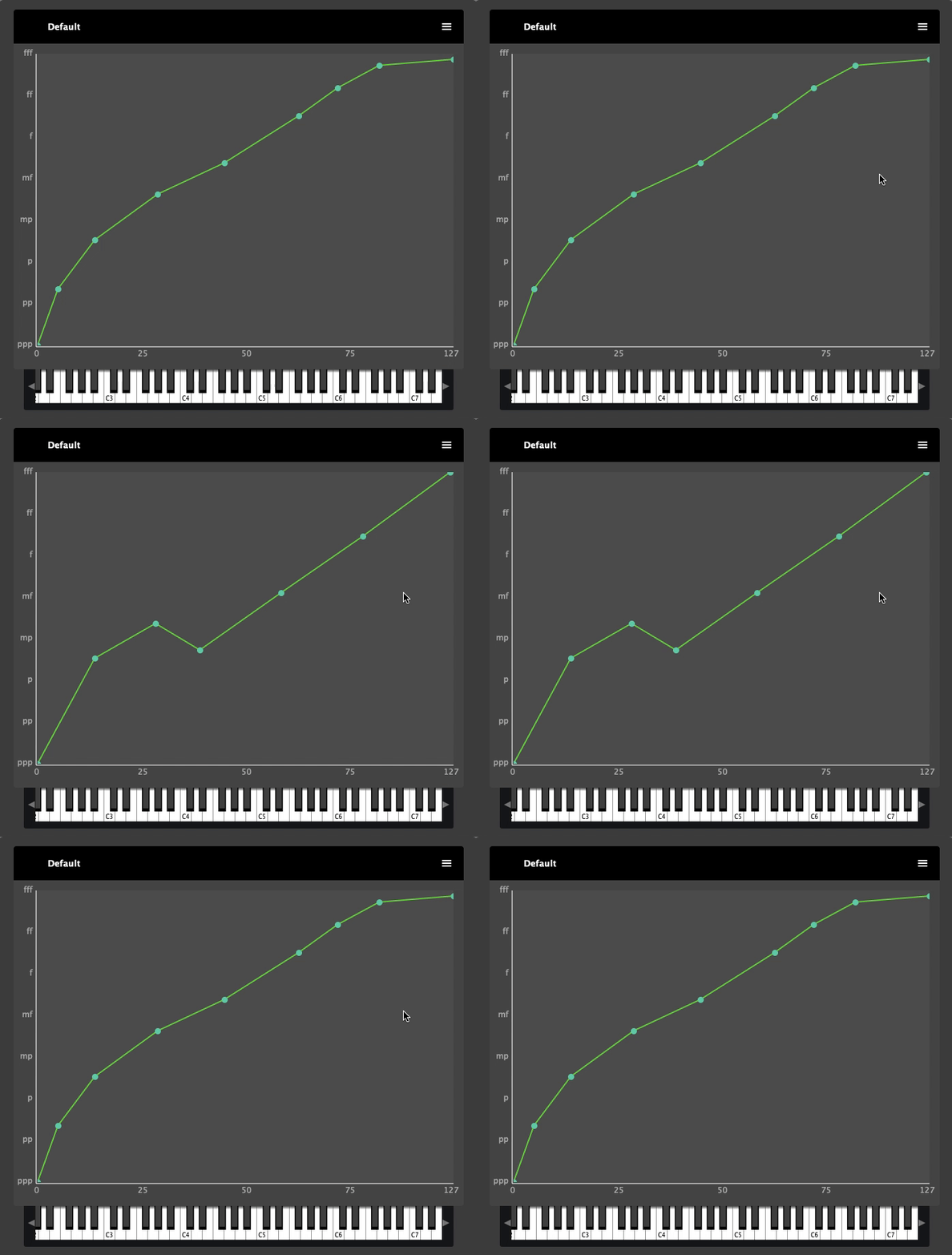
Undo Curve Changes Easily
Every modification you make to a velocity curve can be undone / redone.
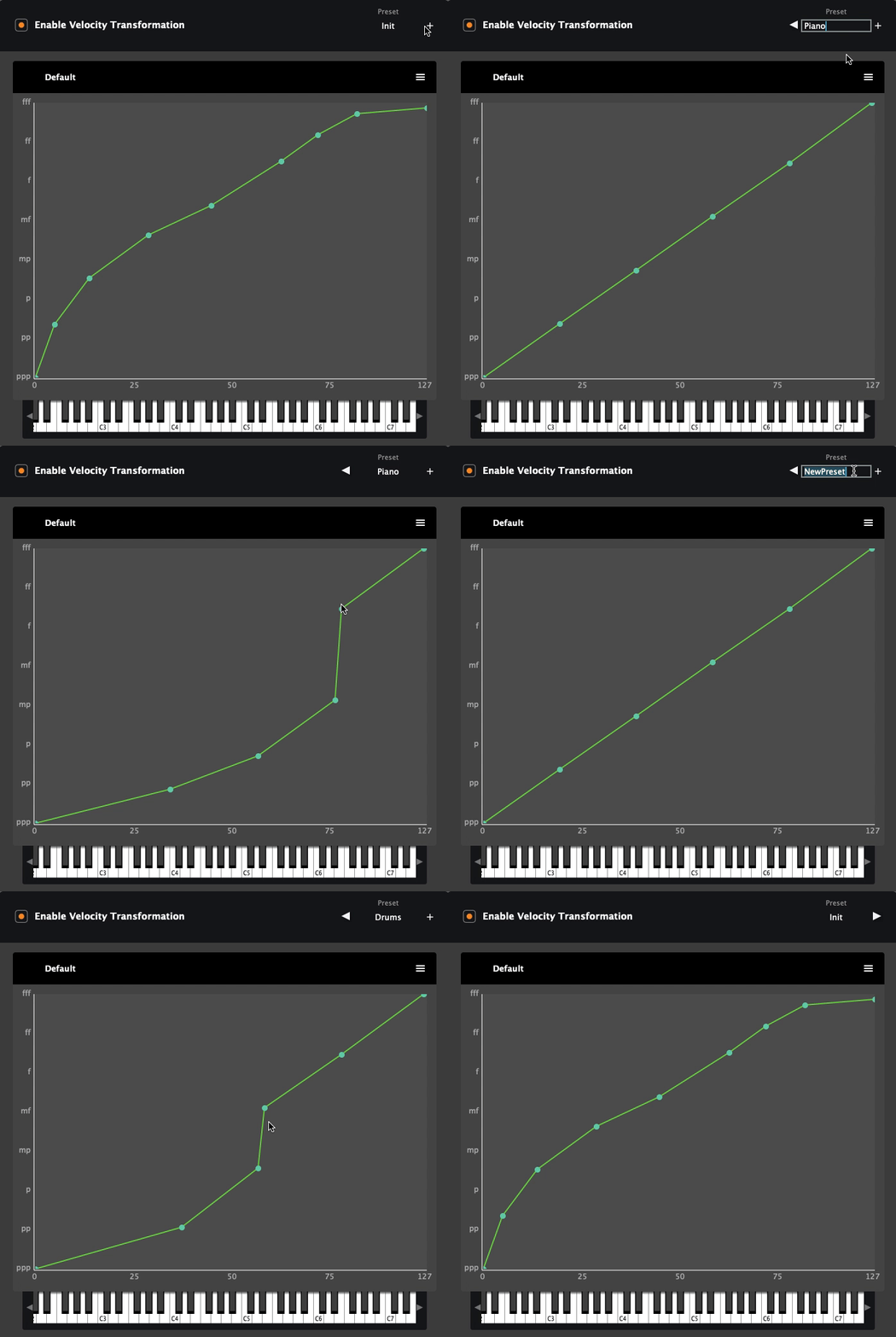
Several Presets Per Device / Track
For the same MIDI controller (or track on VST3 version), you can now store several presets in VelPro!
Your settings from version 1.0 will automatically be imported as an “Init” preset the first time you run newer versions.
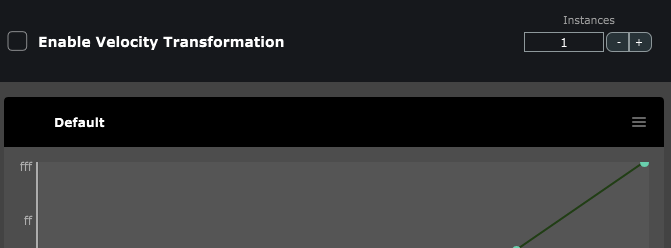
Multi-client support on Windows
[standalone version]
On Windows, there was a limitation to the number of applications that could connect to the virtual port created by VelPro
Now when the MIDI input is disabled, increase the Instances counter to create more virtual ports. The modified signal will get forwarded to all those ports. You can create up to 10 for each device.
Get Started in 3 Steps
Plug in & Select
VST3 version:
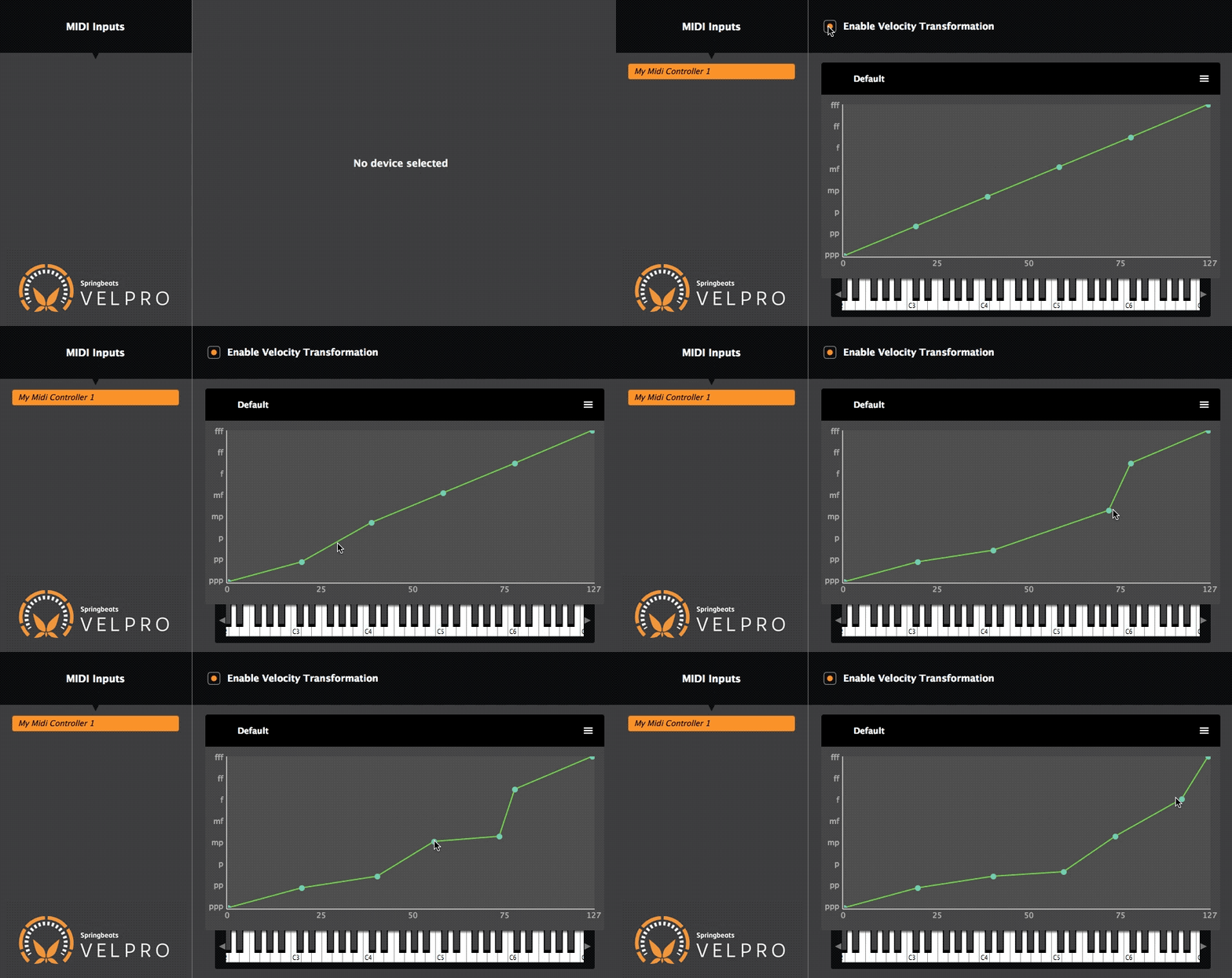
Use VelPro as an Input
In your favorite music app, select the [VelPro] prefixed MIDI input
VST3 version:
Route MIDI out to your instrument
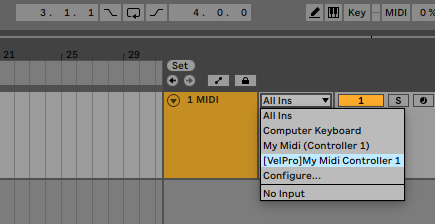
Play Naturally
Your DAW receives perfected MIDI—no extra config.
Bonus: Explore finer settings and set a different curve for individual keys by unchecking their “use default” box.
Let’s Get Started
- PC with Windows® 8 up to Windows® 11 – 64bit. Intel or AMD.
- Mac with OSX 10.9 or more recent.
- Compatible with Apple Silicon M series Chip
- A USB MIDI Controller Keyboard
- Plugin format: VST3 (Windows & macOS)
For more information about our data retaining policy, please read our legal notice.
Need help? Don’t hesitate, contact us at sales@springbeats.com.
$40
Lifetime Value
Free Trial
Download Demo Versions
Demo version does not save your presets!
Common Questions